The impact
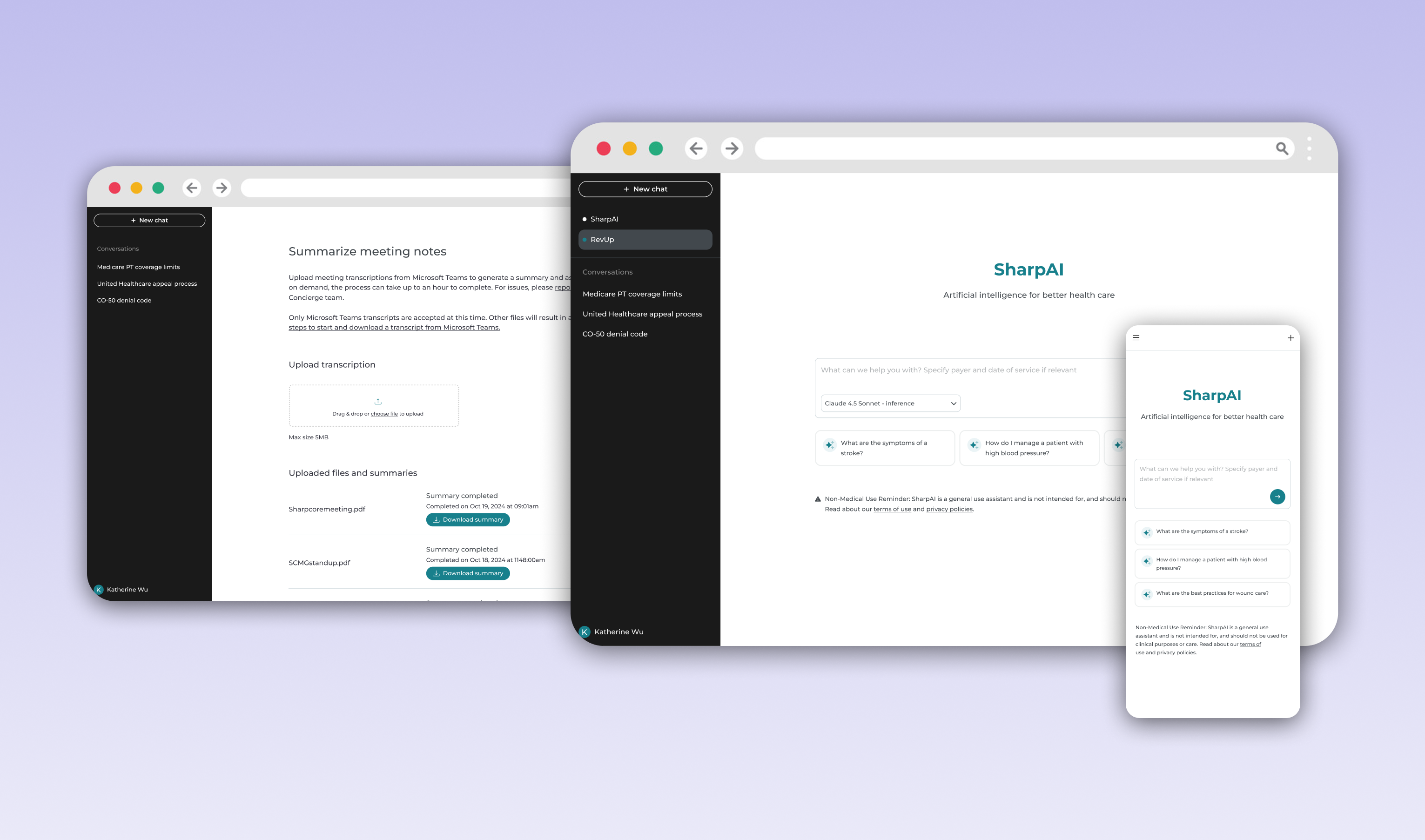
We created a tool Sharp employees would utilize in order to support their work and reduce friction in their day-to-day work.
30%
voluntary adoption by eligible employees within 3 months of launch
10%
reduction in support and IT tickets tracked
86%
of queries successfully resolved without escalation to support teams
The challenge
As Sharp HealthCare employees started leveraging generative AI into their workflows, stakeholders across our organization wanted to quickly launch an internal AI assistant employees could use safely and securely at work. During this process, I quickly was reminded how healthcare comes with some unique and complex considerations including privacy concerns, PHI protection, legal compliance, and employee trust which made this product especially challenging and interesting. What began as a developer-led initiative evolved into a much larger product experience challenge and I joined the core team to help shape the UX strategy, streamline workflows, and create a product that would ultimately be useful and scalable.
MVP scope
• A secure internal AI assistant for Sharp employees
• Feedback collection features
• Branding and product identity (limited as stakeholders were tied to reflecting Chatgpt at the time)
• Privacy policy and terms of use flows
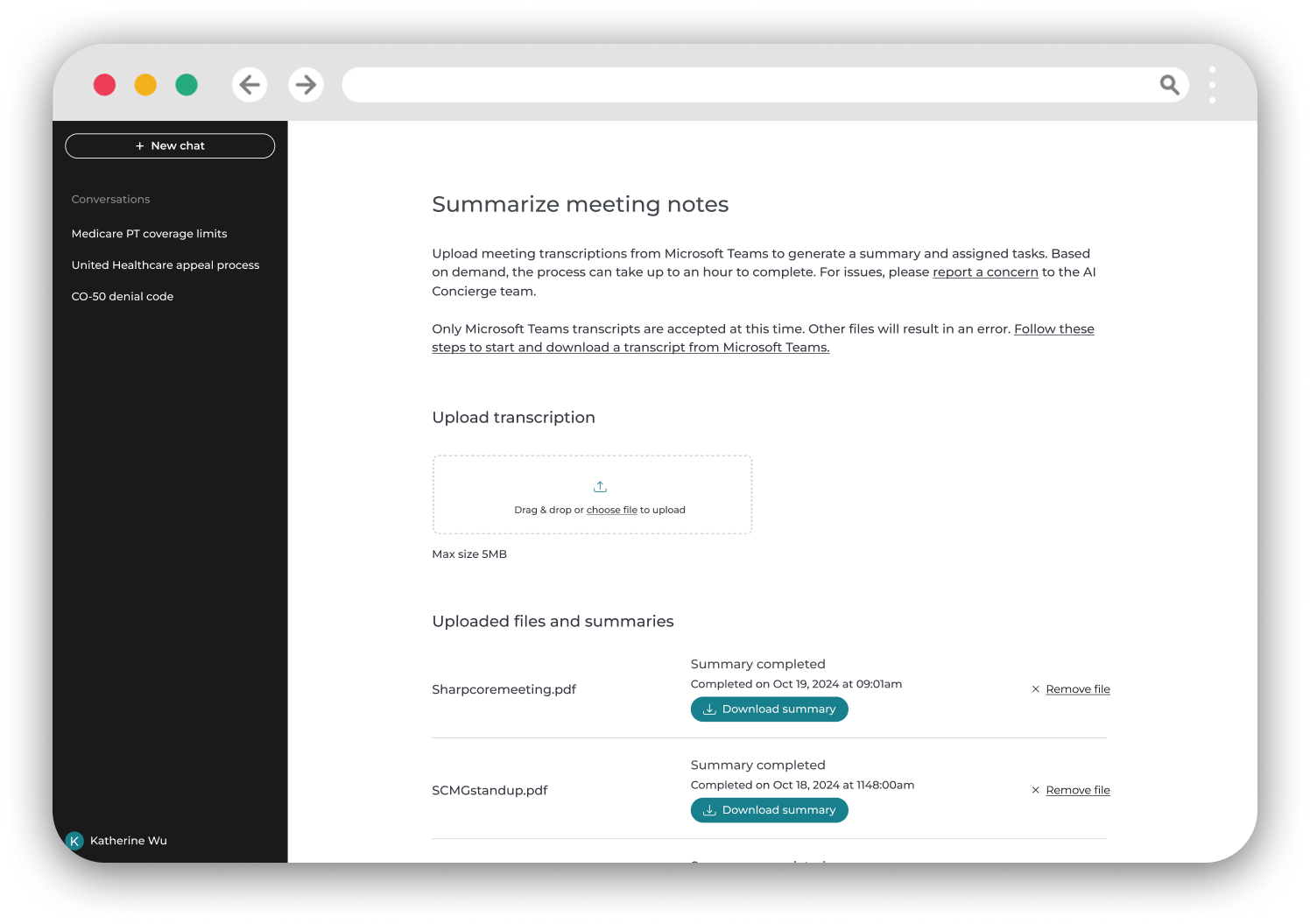
• Later in the project: a meeting transcription and summarization tool
Designing for trust in a highly regulated environment
One of the earliest challenges was balancing stakeholder priorities with best usability practices. Because I joined the initiative after kick-off, many assumptions about the interface had already been established. Stakeholders wanted high visibility to features including privacy policies, FAQs and compliance-related information directly on the landing page.
While these requirements were understandable given the healthcare context, the resulting experience stakeholders initially presented to me distracted from the primary user intent which was engaging with the AI itself.
The core UX challenge became:
How do we make compliance and governance feel accessible without overwhelming the main intent of this experience?
Using research to influence stakeholders
Prior to presenting to stakehodlers, I conducted competitive analysis across emerging AI platforms and conversational interfaces. The research showed most AI experiences leveraged reduced cognitive load and centered the interface around the conversation itself. I reframed the discussion around usability patterns users were already becoming familiar with across the AI landscape and ultimately this helped us advocate for:
• A cleaner, more focused landing experience
• Disclosure of secondary navigation items
• Moving policies, FAQs and supporting content into a streamlined menu structure
• Preserving discoverability without competing with the primary workflow
Advocating for the design
After several working sessions and stakeholder reviews, alignment was reached on a simplified experience that better balanced governance requirements with usability.
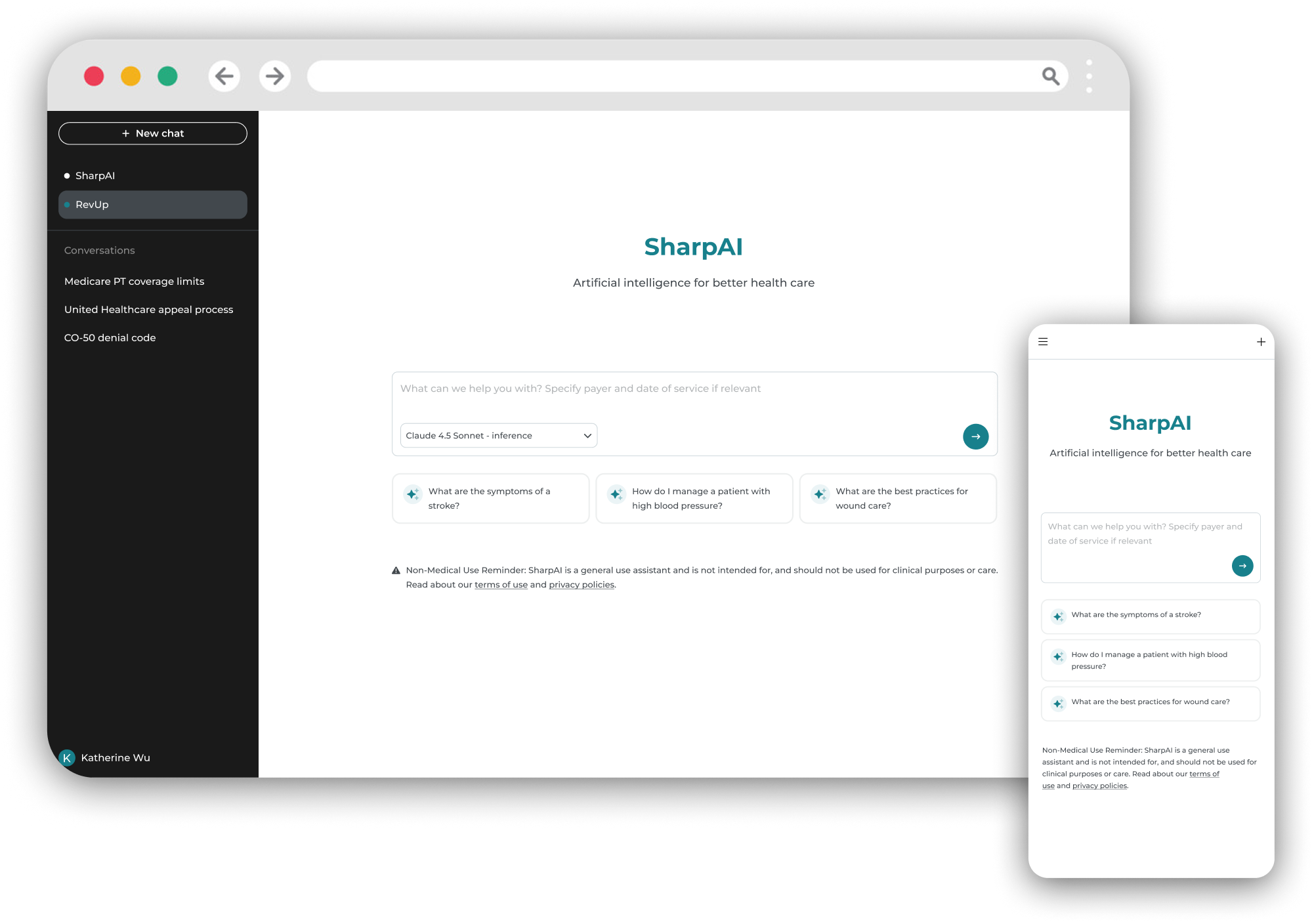
Mid-project scope shift:
Mid-project scope shift: introducing meeting summarization
Midway through development, the project scope expanded significantly. Stakeholders wanted to introduce a Microsoft Teams transcription summarization tool that would allow employees to upload meeting recordings and receive AI-generated summaries. This shifted the product from a relatively straightforward conversational assistant into a much more operationally complex workflow product and introduced new challenges across UX, engineering, and legal.